
Convert PDF Financial Statements
To Excel Spreadsheets Instantly
Stop manual data entry. Extract multi-page balance sheets, invoices, bank statements, and scanned documents directly into formatted Excel (.xlsx), CSV, or JSON with 99%+ accuracy.
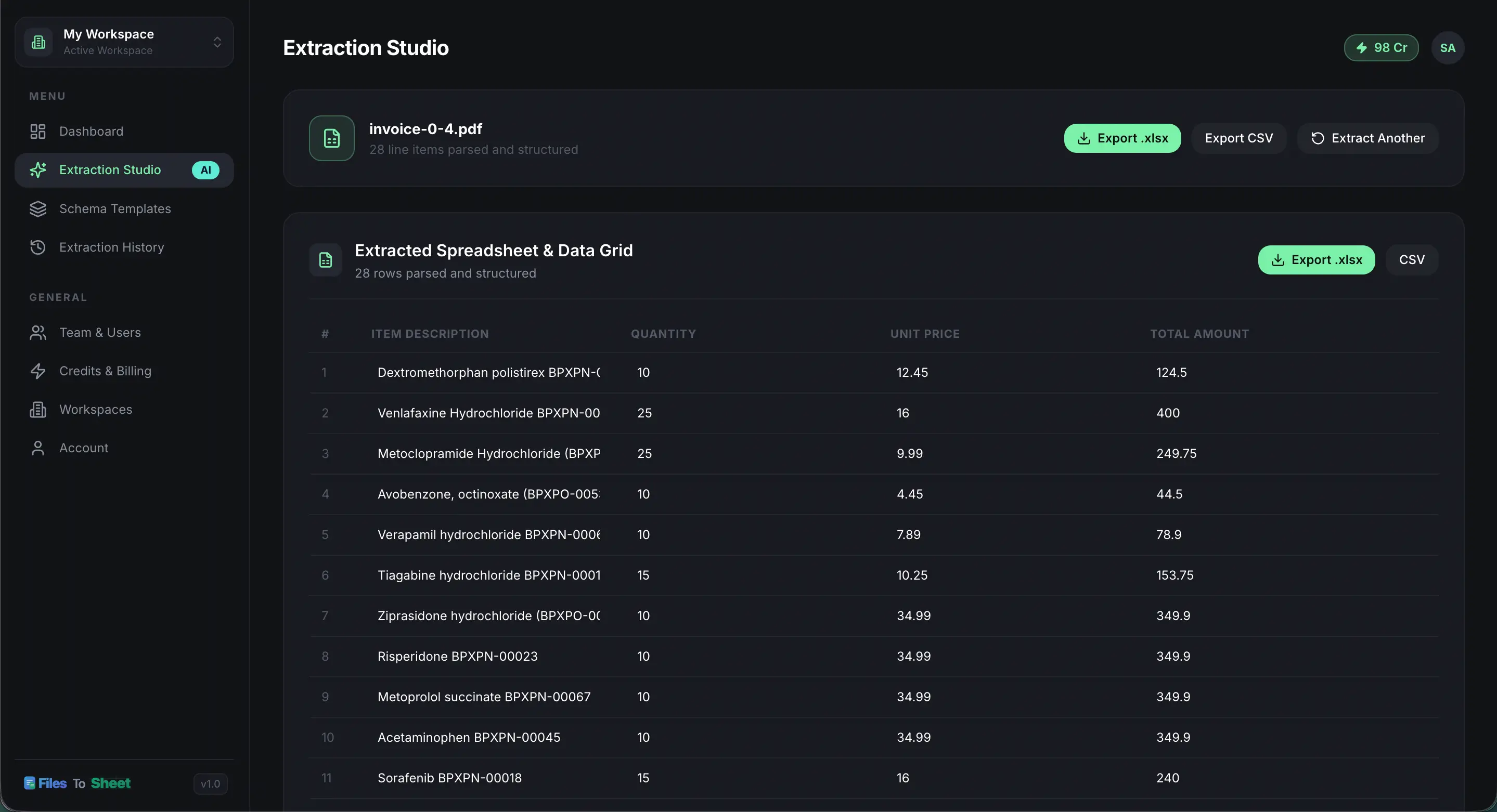
Everything You Need To Automate Manual Data Entry
Eliminate hours of copy-pasting numbers from PDFs into spreadsheets. Let AI do the heavy lifting in seconds.
AI Multimodal OCR Engine
Powered by advanced AI models that read blurry scans, rotated pages, and non-standard invoice formats with human-level accuracy.
Automatic Column & Header Detection
No manual bounding box selection needed. The system auto-identifies table borders, headers, sub-totals, and line item rows.
Instant Excel (.xlsx) & CSV Export
Export directly to Microsoft Excel spreadsheets or standard CSV files ready for Google Sheets, QuickBooks, or Xero.
Multi-Page & Batch Processing
Process 50-page financial reports or 100 invoice PDFs in bulk with background queueing and ledger tracking.
Bank Statement & Invoice Parser
Pre-built extraction logic tailored for credit card statements, bank ledgers, tax forms, receipts, and purchase orders.
Zero Data Retention & Privacy
We don't keep your data. Original documents are deleted immediately upon extraction, and extracted tabular records are automatically purged after 24 hours (or you can delete manually).
Ready to convert your first document?
Sign up today and get free bonus credits to test your invoices and statements.
Built For Your Industry Workflow
Whether you process 10 invoices a month or 10,000 pages of bank statements, FilesToSheet handles it seamlessly.
Financial Statements & Bank Records
- Convert PDF financial statements to Excel in seconds
- Extract multi-year bank statements with all columns intact
- Export ready-to-import CSVs for QuickBooks & Xero
Rent Rolls & Lease Agreements
- Parse complex landlord rent rolls into structured sheets
- Extract tenant ledger deposits and payment histories
- Audit vendor repair invoices & maintenance bills
Supplier Invoices & Freight Receipts
- Convert 100s of PDF supplier invoices to inventory sheets
- Extract line item SKUs, quantities, and unit prices
- Reconcile shipping manifest fees automatically
Convert PDF Financial Statements to Excel
- Extract tables from complex multi-column financial reports
- Convert income statements, balance sheets & cash flow tables to Excel
- Preserve multi-year comparison columns for financial modeling
Transparent Pricing. No Monthly Contracts.
Buy credit packs as you need them. 1 Credit = 1 Document Page parsed into structured Excel or CSV.
Ideal for individuals & small teams processing occasional invoices and bills.
- 100 PDF Document Pages parsed
- Export to Excel (.xlsx), CSV & JSON
- AI Table & Header Auto-Detection
- Custom Schema Template Builder
- Email Support
High-volume processing for accounting departments, bookkeepers & agencies.
- 400 PDF Document Pages parsed
- Export to Excel (.xlsx), CSV & JSON
- Multi-Page Extraction & Alignment
- Custom Schema Template Builder
- Bank Statement & Receipt Parsing
- Email Support
Maximum volume tier for automated enterprise ETL pipelines & bulk ingestion.
- 2,000 PDF Document Pages parsed
- Export to Excel (.xlsx), CSV & JSON
- Multi-Page Extraction & Alignment
- Custom Schema Template Builder
- Multi-User Workspace Team Sharing
- Priority Email Support
We Don’t Keep Your Data. Period.
Your financial statements, tax records, and invoices stay 100% confidential. Our infrastructure is engineered with automated, non-recoverable data purges so you can convert with complete confidence.
Original Files Deleted Immediately
The instant your table extraction is finished, the uploaded source document (PDF or image) is permanently erased from our cloud storage.
Extracted Data Purged in 24 Hours
All extracted tabular columns and spreadsheet row items are automatically wiped after 24 hours by automated maintenance cron jobs, or you can delete them manually at any time.
256-Bit SSL & Zero AI Training
All transfers are encrypted with TLS 1.3. We never sell, inspect, or use your confidential documents to train public AI models.
Frequently Asked Questions
Everything you need to know about credit top-ups, formats, and AI extraction accuracy.